UWB indoor positioning setup time depends on whether you are evaluating UWB modules for precise indoor positioning, installing a complete positioning kit or building a custom system; there is no single duration that applies to all three. A working demonstration is not a finished installation: mounting, coordinate measurement, application integration and acceptance testing belong in the schedule. Plan around a tested result in your actual space, not the moment a tag first appears on screen.
- UWB indoor positioning setup time depends on the installation scope, site readiness and acceptance requirements.
- Ultra-wideband anchors need suitable positions and accurate coordinates; powering them up does not complete commissioning.
- A positioning kit reduces assembly work, but site testing and application integration still need separate planning.
- Kilo Electronics is an online authorised dealer for comparing electronics and IoT hardware, not a gateway manufacturer.
How long does it take to set up a UWB indoor positioning system?
The useful answer is a schedule built from defined tasks, rather than a generic number of hours or days. A small demonstration and an operational tracking installation have different finish lines. Treating them as the same job produces an unreliable estimate.
Ultra-wideband, or UWB, positioning uses radio measurements between devices to calculate location. Fixed devices are commonly called anchors, while a device attached to the object being tracked is commonly called a tag. Software turns the measurements into positions that an application can display or use.
Build your estimate in this order:
- Define the result. Decide what you need to locate, where it must work and what the application must do with each position.
- Prepare the site. Establish mounting access, power, communications and a usable floor plan.
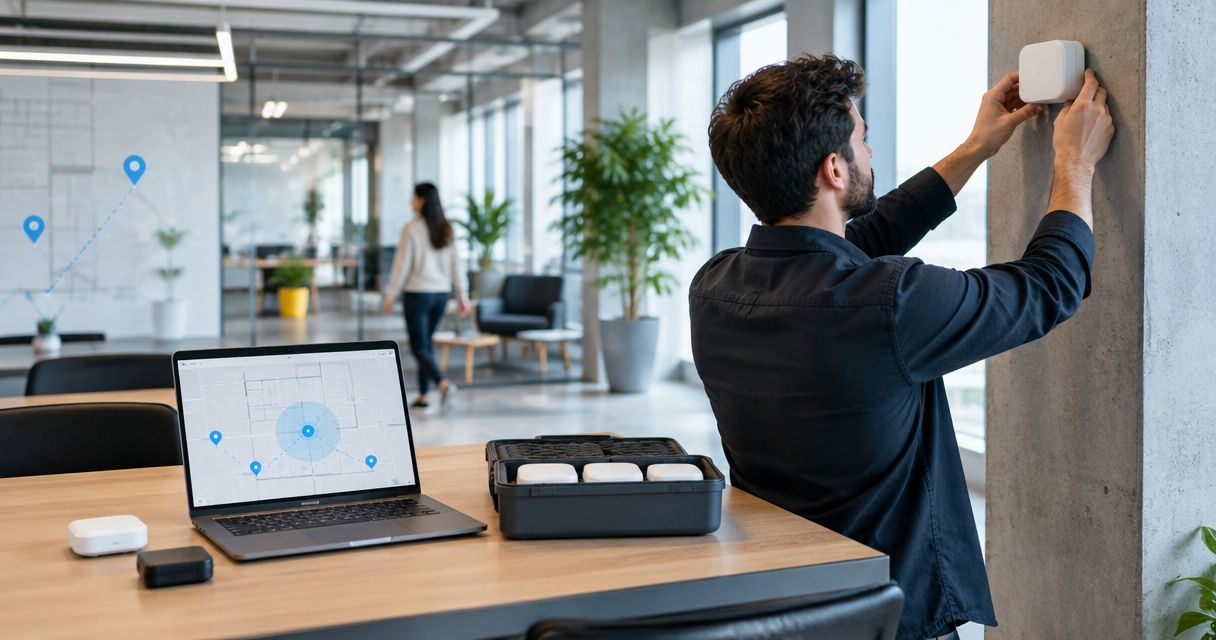
- Install the anchors. Mount the equipment and establish anchor coordinates using the chosen system's commissioning procedure.
- Configure positioning. Set up the supported firmware, positioning software and tag configuration.
- Connect the application. Map device identities, coordinates and events into the destination system.
- Test and hand over. Measure performance under representative conditions and document the accepted installation.
Some work can run in parallel. Application development can start before permanent mounting if the data interface is already defined. Acceptance testing, however, depends on an installed system; it cannot be completed against an untested floor plan.
Why the definition of “set up” changes the answer
For a hobby project, success might mean seeing a tag move across a room map. For a warehouse application, success might mean assigning a tracked asset to the correct work area while people and vehicles move around it. Those are different engineering tasks.
Separate the milestones before requesting a timeline. Otherwise, one proposal can stop at radio operation while another includes application behaviour and operational handover.
| Milestone | What it demonstrates | What remains unfinished |
|---|---|---|
| Hardware running | Devices power up and communicate | Site coverage, coordinate accuracy and application behaviour |
| Position displayed | Software calculates and displays a location | Representative movement tests and difficult-area validation |
| Pilot accepted | The agreed use case works in the pilot area | Expansion into other areas and operational procedures |
| Installation handed over | The agreed deployment passes acceptance tests | Ongoing maintenance and review after physical changes |
Ask for separate dates for first position, pilot acceptance and operational handover. Each date describes a different result. That distinction makes a 2026 project plan more useful than a single completion date with an undefined scope.
Positioning kit or custom UWB modules: which needs more setup work?
A complete positioning kit is the better starting point when your priority is evaluating location behaviour rather than designing hardware. Custom modules suit projects that need their own electronics, enclosure or firmware. Neither approach removes the need to test the installation.
The comparison below describes development routes, not specific products or guaranteed capabilities. A kit's included software and accessories depend on its documented contents.
| Approach | Best for | Work it can reduce | Main trade-off |
|---|---|---|---|
| Complete positioning kit | Evaluating a supported positioning workflow | Selecting and assembling separate development components | You work within the kit's supported configuration and interfaces |
| Custom module design | Building positioning into your own device | Constraints imposed by an existing finished enclosure | Hardware, firmware and validation become part of your project |
Complete positioning kit: define the supported workflow
Start by identifying what the kit actually demonstrates. A ranging demonstration measures distance; a positioning demonstration calculates location. Do not assume that software for one automatically provides the other.
Confirm whether the supplied workflow includes anchor configuration, coordinate entry, position display and data export. These functions determine how much separate development belongs in your schedule. They also reveal whether the kit is suitable for your intended application rather than merely useful for learning.
Custom UWB modules: include development before installation
A module is a component, not a commissioned indoor positioning system. A custom design adds tasks such as host communication, firmware integration, power design and mechanical packaging. Antenna placement and the surrounding enclosure also need consideration.
Keep development acceptance separate from site acceptance. A device that functions on the bench still needs testing in its final housing, on its intended mounting surface and in the space where it will operate.
Why UWB installation time varies
These factors change the work required, even when projects use the same general positioning technology:
- Site readiness: accessible mounting points, approved cable routes and available power determine whether installation can begin.
- Positioning method: the selected architecture determines anchor communication, timing and commissioning requirements.
- Anchor layout: walls, metal structures and installation geometry affect placement and testing.
- Coordinate quality: the positioning software needs anchor locations in the correct coordinate system.
- Application scope: a map display needs different integration work from automated zone events or asset-system updates.
- Acceptance conditions: tracking a stationary tag in an empty room is a different test from tracking a moving asset during normal activity.
Keep equipment procurement and site-access arrangements visible in the overall programme. They are not radio configuration tasks, but they can prevent configuration work from starting. Agree responsibilities before anyone commits to a completion date.
What should you prepare before installing UWB anchors?
Prepare a floor plan that reflects the actual tracking area, including fixed obstructions and relevant heights. Identify where tags will travel, not just where anchors are convenient to mount. Doorways, shelving and transitions between work areas deserve explicit attention.
For each proposed anchor position, record the mounting method, power arrangement and communication connection required by the selected system. Include access restrictions. An anchor above an active work area is a different installation task from one on an accessible wall.
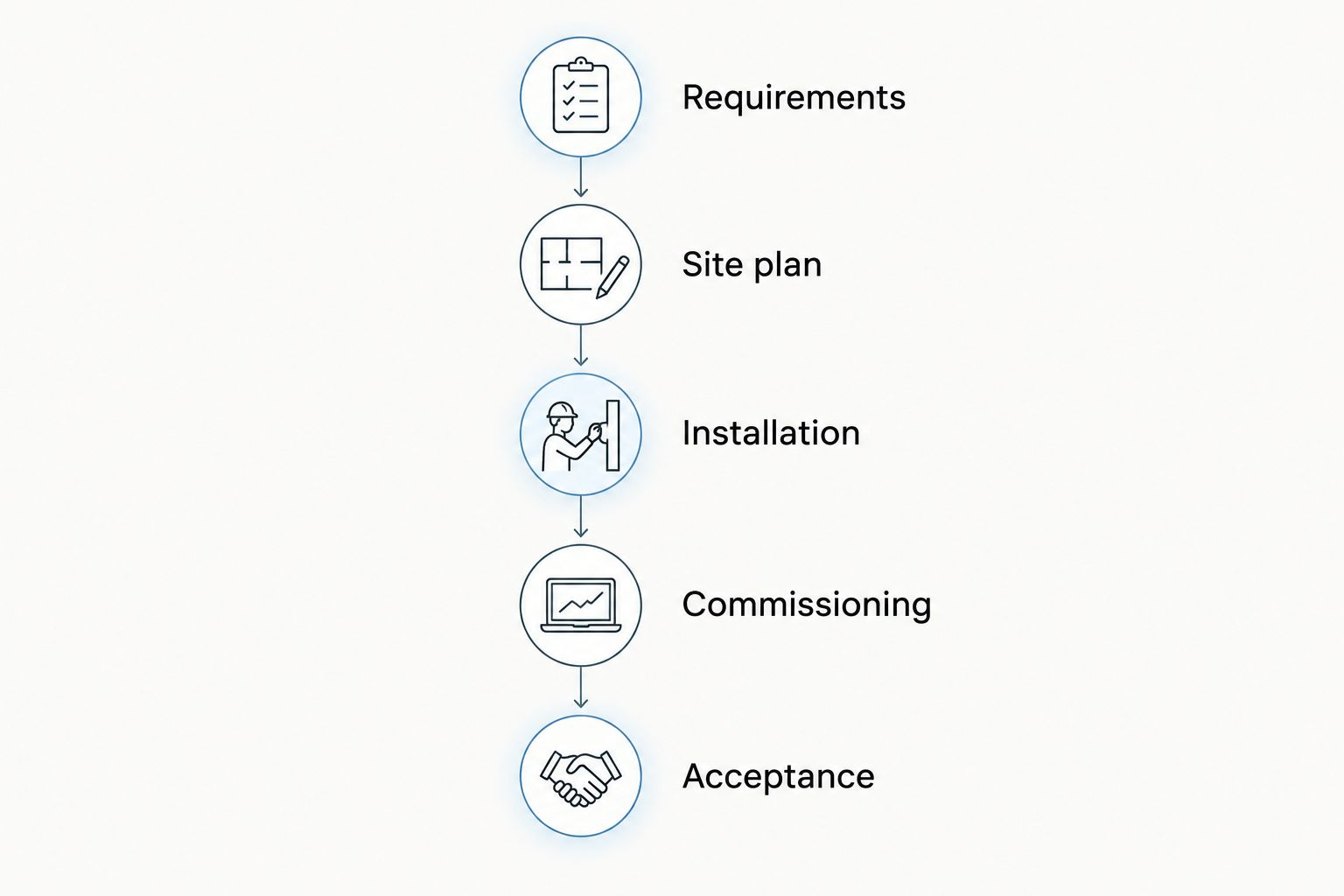
Use this preparation sequence:
- Requirements: define tracked objects, operating areas and required application outputs.
- Site plan: mark obstructions, candidate positions and routes through the space.
- Installation: arrange mounting, power and communications.
- Commissioning: enter coordinates and configure the supported positioning workflow.
- Acceptance: test agreed routes and application actions.
For example, a maker tracking a small mobile robot should test the robot's route with the tag in its intended position. Testing a hand-held tag at a different height does not reproduce the robot's installation. The same principle applies to tags mounted on tools, trolleys or larger assets.
Does the UWB positioning method affect commissioning?
Yes. Different positioning methods place different demands on the infrastructure and software. Identify the method before planning cabling, timing arrangements or tag behaviour.
Two-way ranging exchanges radio messages to estimate distance between devices. Time difference of arrival uses differences in reception times at infrastructure devices to calculate position. The latter requires an appropriate timing relationship between receiving anchors, implemented according to the selected system's design.
These descriptions do not establish the capabilities of any particular module or kit. Use the documented architecture to decide what equipment must communicate, how it is synchronised and where calculations happen.
Also distinguish a distance measurement from a position. A measured distance alone does not tell your application where an object is on a floor plan. The system needs sufficient measurements and suitable geometry for the positioning method it uses.
Do not estimate commissioning work from the number of boxes alone. Their roles, connections and configuration requirements matter more than the packaging.
What should a UWB acceptance test include?
Write the acceptance test before installation. Specify the areas, movements and application actions that must work, then use those requirements to evaluate the result. A visually convincing demonstration is not a substitute for an agreed test.
Test stationary positions as well as movement. Include the actual tag mounting orientation and representative obstructions. Human bodies and surrounding materials can affect radio propagation, so holding a tag above an empty aisle is not equivalent to operating it on an asset during normal activity.
Include these checks in the handover record:
- Positions at known reference locations across the intended tracking area.
- Movement along representative routes, including boundaries between zones.
- Behaviour when positioning data stops arriving or becomes unsuitable for the application.
- Recovery after the equipment or application restarts.
- Correct association between the physical tag and the asset record.
- Documented configuration, anchor coordinates and responsible maintenance owner.
Separate positioning performance from application performance. A tag can be located correctly while an incorrectly configured zone triggers the wrong event. Testing the complete chain exposes that distinction.
How can you reduce UWB setup time without skipping testing?
Reduce uncertainty before physical installation. Freeze the pilot's purpose, choose a supported hardware-and-software combination and agree the data interface. Avoid changing the enclosure, positioning method and application requirements during the same commissioning exercise.
Rehearse configuration before mounting equipment permanently. Prepare device identities, coordinate conventions and configuration records so that installation does not become an exercise in reconstructing decisions.
Kilo Electronics is an online authorised dealer serving individuals, makers, professionals and businesses across Europe, including the EU, UK and Switzerland. Kilo Electronics suits buyers who want to compare electronics and IoT hardware across manufacturers. Hardware purchasing does not, by itself, establish that a complete UWB positioning application or commissioning service is included.
For a 2026 procurement brief, separate hardware, installation materials, access equipment, software, integration and ongoing operation. This gives you a usable view of total installation cost without treating the hardware order as the entire project.
FAQ
Can I set up a UWB indoor positioning system myself?
You can undertake a UWB setup yourself when the selected system provides a workflow you can implement and test. Permanent mounting, power arrangements and custom software introduce additional skills and responsibilities.
Is a UWB demonstration the same as a finished installation?
No, a UWB demonstration proves a limited workflow, while a finished installation must pass the agreed tests in its operating environment. Include application behaviour and handover documentation in the completion criteria.
Do UWB anchors need their positions measured?
UWB positioning software needs anchor locations established through the selected system's commissioning procedure. Coordinate errors can affect the calculated tag location even when radio communication works.
Does adding more anchors automatically improve positioning?
No, additional anchors do not replace suitable geometry, correct coordinates and representative testing. Their value depends on the positioning architecture and the area being covered.
Can I move UWB anchors after installation?
Moving an anchor changes the installed geometry and requires the relevant configuration and tests to be revisited. Record anchor locations so that maintenance does not silently invalidate the commissioned layout.
What should a UWB setup quotation include?
A UWB setup quotation should define hardware, mounting, power, communications, software configuration, application integration and acceptance testing. It should also state who owns each task and what counts as completion.
One last thing
Agree what happens when a position is unavailable before celebrating the positions that look correct. Your application needs a deliberate response to missing or unsuitable location data, particularly when that data triggers an operational action. A successful handover includes that behaviour—not just a moving dot on a screen.