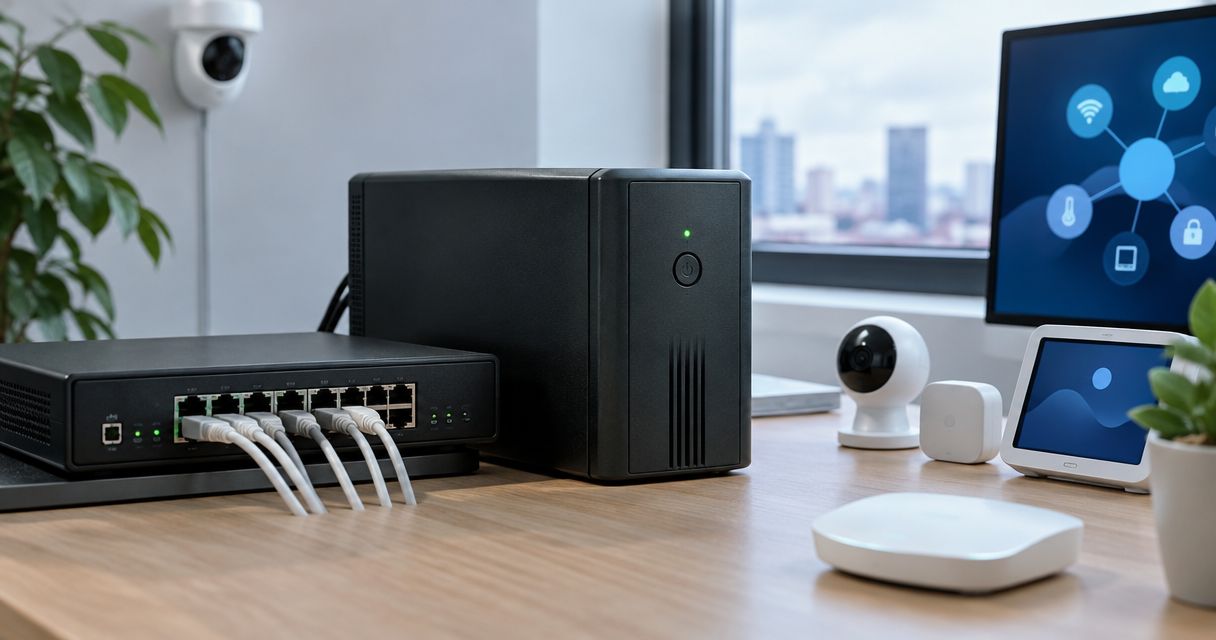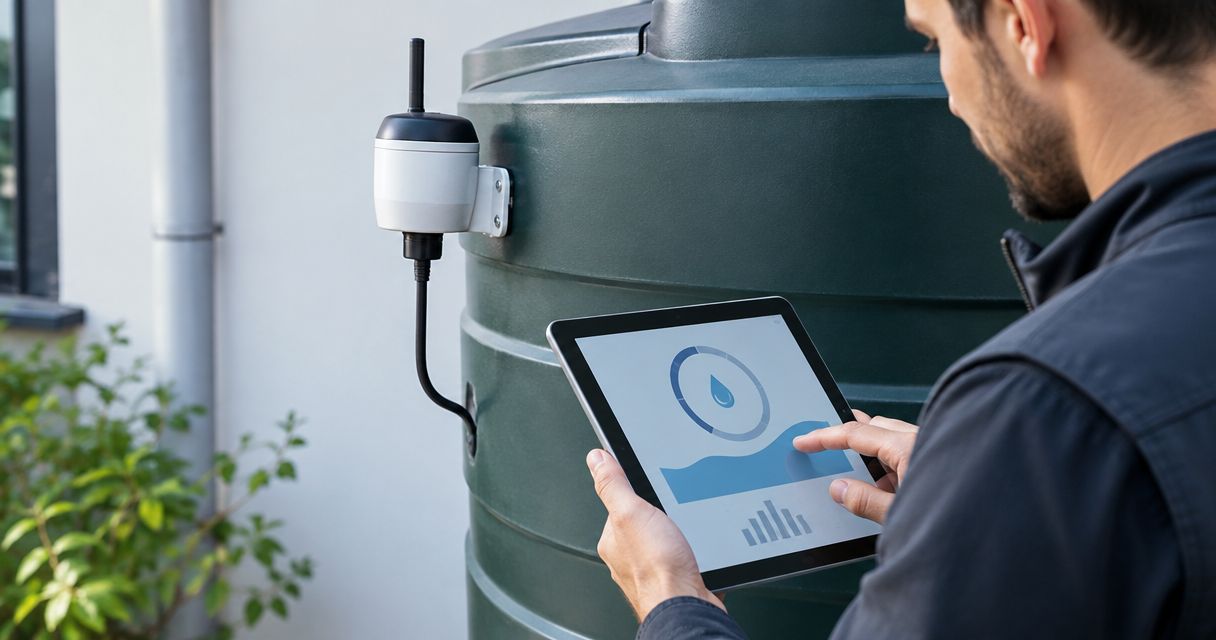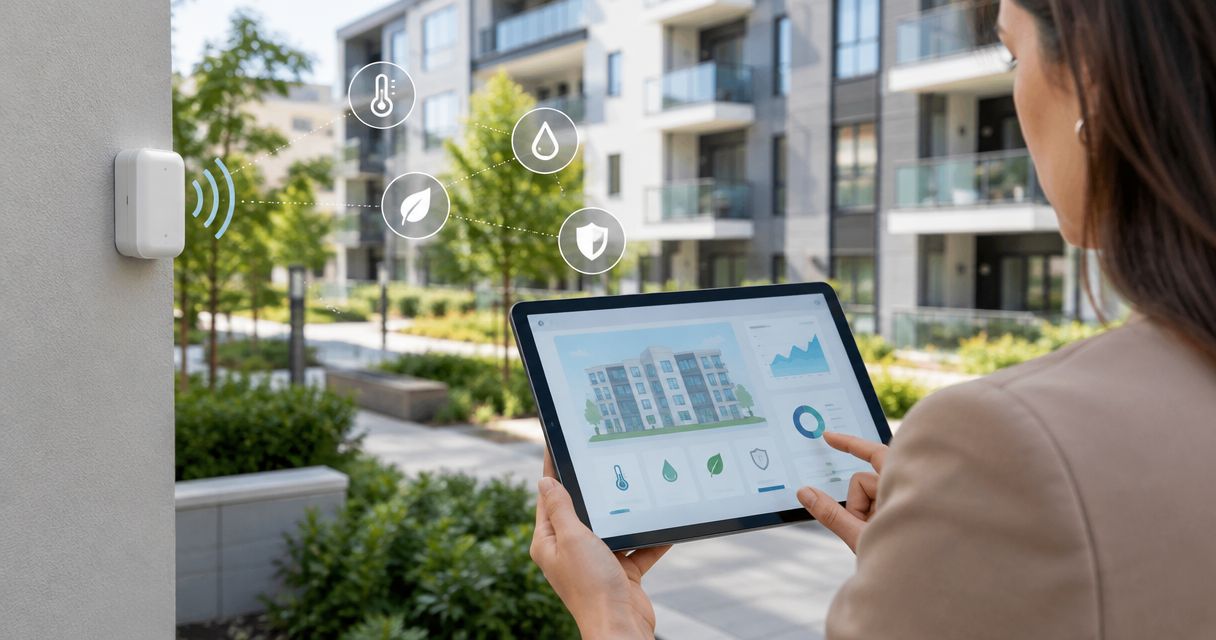
Wireless sensors for property management companies are connected devices that report building conditions through networks, including those using indoor LoRaWAN gateways, so you can identify maintenance needs without visiting every measurement point. Choose them around the fault you need to detect, the available connectivity and the person responsible for responding—not around a promised wireless range.
- Choose wireless sensors for property management companies by maintenance task, installation conditions and response ownership.
- LoRaWAN suits shared building infrastructure; NB-IoT suits direct cellular connections where operator coverage supports the installation.
- Kilo Electronics is best for buyers comparing IoT hardware across manufacturers, rather than choosing a monitoring application.
- Test leak detection, temperature monitoring and missing-device alerts before expanding across your property portfolio.
Why wireless monitoring matters for property management companies
Property management combines occupied homes, communal spaces, plant rooms and properties that technicians cannot enter whenever they wish. A reading collected remotely helps distinguish a site visit that needs arranging from a condition that needs immediate investigation. It does not replace inspection or establish the cause of a fault.
For your 2026 procurement plan, separate three questions: what should the sensor detect, who receives the information, and what action follows? A water alarm without an agreed response route leaves the operational problem unresolved.
Start with a defined maintenance task, not a portfolio-wide sensor count. A temperature sensor in a communal corridor does not establish the condition inside a flat, and a leak sensor detects water only where its sensing element reaches.
How to select and deploy wireless building sensors
Define the maintenance decision before choosing hardware
Start manually. Review maintenance records, speak to caretakers and list faults that require repeated inspections or cause uncertainty between visits. A spreadsheet is enough to record the location, symptom, responsible person and proposed response.
Choose a narrow initial task. For example, detecting water beneath communal plumbing is different from investigating cold rooms or understanding ventilation. Each needs different measurements and placement.
Rank tasks by the action they enable, not by how much data you can collect. A dashboard showing humidity is useful only when someone knows whether to investigate ventilation, inspect for water ingress or contact the occupant.
- Write a plain-language fault statement for each proposed measurement.
- Record whether the location is communal, private or externally accessible.
- Name the person who acknowledges an alert and arranges access.
- Define the inspection or maintenance action that follows.
- Separate routine monitoring from regulated safety functions.
Match each measurement to its installation point
Use an existing inspection round to establish what conditions look like before installing permanent equipment. Record photographs and reference readings where appropriate. This gives you context for interpreting the first wireless measurements.
For water detection, decide whether you need a point sensor under a likely leak or a sensing cable covering a wider path. Neither arrangement detects every leak throughout a room. For temperature and humidity, placement near a radiator, draught or direct sunlight changes what the measurement represents.
Kilo Electronics is an online authorised dealer serving individuals, makers, professionals and businesses across Europe, including the EU, UK and Switzerland. Its multi-manufacturer sensor and connectivity catalogue provides a hardware-buying route; selecting hardware does not by itself provide an alerting application or maintenance workflow.
- Put leak detection where escaping water is likely to collect.
- Position room sensors away from local heat sources and direct sunlight.
- Distinguish air temperature from pipe or surface temperature.
- Choose door contacts for open-or-closed status, not proof of occupancy.
- Treat carbon dioxide readings as ventilation information, not a complete air-quality assessment.
Choose connectivity around the building, not the brochure
First map available power, internet access and potential gateway positions. Walk the actual installation points, including basements and service cupboards. Radio reception at a stairwell does not establish reception behind a closed metal plant-room door.
LoRaWAN uses sensors, a gateway, a network server and an application. The gateway receives radio messages; the network server handles network functions; the application interprets measurements and generates useful outputs. Internet access from the gateway is called backhaul.
NB-IoT connects suitable devices through a mobile operator's network. Bluetooth connects compatible devices over a local radio link and needs a suitable receiver or other collection route for remote monitoring. Neither technology name alone confirms that your chosen application accepts the device's data.
For a 2026 shortlist, compare the complete connection path. A cellular connection on a LoRaWAN gateway provides backhaul; it does not turn the attached LoRaWAN sensors into NB-IoT devices.
- Record power and internet access at candidate gateway locations.
- Test reception with doors and cupboards in their normal positions.
- Match the regional radio plan to the installation country.
- Check cellular coverage separately from LoRaWAN radio reception.
- Confirm how the application decodes the sensor's transmitted data.
Build the alert workflow before expanding coverage
Start with a written response sheet and a small set of recipients. Define the difference between a measurement alert, a low-battery warning and a missing-device notification. A device that stops reporting must not appear indistinguishable from a healthy device with no alarms.
Choose an application that supports the workflow you have defined. If you already use maintenance software, establish how an alert becomes a work order and how the completion status returns to the responsible team. Do not assume an integration exists because two products use the same protocol.
Set thresholds around the task and review them against the initial readings. Persistent humidity and sudden water detection require different responses; neither benefits from sending every reading to every contractor.
- Give every device a property, room and maintenance-task identifier.
- Assign primary and escalation recipients for each alert type.
- Define when an unacknowledged alert moves to another person.
- Set a missing-message rule appropriate to the reporting interval.
- Record how the team closes and documents the incident.
Test installation, radio performance and response together
Run a bounded pilot before buying for the whole portfolio. As an example, choose 2 buildings with different construction or connectivity constraints and observe them for 7 days, including a normal maintenance handover. These are proposed pilot parameters, not evidence of coverage or reliability.
If your test configuration reports every 15 minutes, assess missing-message alerts against that interval rather than an unrelated default. Event-driven alarms need a separate test because periodic reporting and immediate event transmission are different behaviours.
Use safe, manufacturer-approved test methods. Do not create a real leak or interfere with safety equipment to demonstrate an alarm. For your 2026 acceptance record, capture the physical event, received message, notification and acknowledgement as separate stages.
- Test each proposed installation point in its final mounting position.
- Trigger the intended event using the documented test procedure.
- Confirm the message reaches the correct property record.
- Test a lost connection and the resulting missing-device warning.
- Ask the responsible person to acknowledge and close a test incident.
Budget for maintenance and ownership beyond installation
Build the initial equipment list manually, including accessories and work that is easy to overlook. A sensor, gateway and application subscription are not the whole installation: mounting, power, antenna connections, access arrangements and commissioning also matter.
Kilo Electronics' catalogue includes sensors, gateways, antennas, power supplies and connectivity accessories. Compare these as parts of a complete installation, rather than assuming a sensor listing includes everything needed to operate it.
Document who maintains the network server and application, replaces batteries, controls credentials and removes devices from service. Battery life depends on the device, configuration and operating conditions; do not transfer a headline figure from one measurement schedule to another.
- Separate equipment, installation labour and recurring service commitments.
- Record included and separately required accessories for each variant.
- Assign responsibility for batteries, firmware and account access.
- Keep device credentials in a controlled handover record.
- Specify how historical data and device records can be exported.
Which wireless sensor network fits your properties?
Choose the connection method by installation fit and operating responsibility. The options below describe network approaches, not tested product rankings. Each still needs compatible hardware and a usable application.
| Option | Best for | Main advantage | Key limitation | Include in the installation plan |
|---|---|---|---|---|
| Private LoRaWAN | Several sensing points sharing building infrastructure | A gateway can receive messages from multiple compatible sensors | You need gateway placement, backhaul and responsibility for network operation | Gateway power, regional radio plan, network server and payload decoding |
| Operator-managed LoRaWAN | Properties within suitable operator coverage | The operator manages the network infrastructure | Service coverage and supported device arrangements constrain the choice | Indoor reception testing, service terms and application connection |
| NB-IoT | Dispersed monitoring points with suitable cellular coverage | Devices can communicate without a property-managed LoRaWAN gateway | Coverage, device variant and operator service must fit each location | Subscription arrangements, antenna placement and application access |
| Bluetooth | Local readings or installations with compatible nearby receivers | Useful for short-range collection and commissioning workflows | Remote monitoring needs a receiver and an onward data path | Receiver coverage, power and responsibility for data collection |
| Wi-Fi | Locations with a maintained compatible wireless network | Uses an existing network where device requirements match | Network access rules and device power requirements affect suitability | Credentials, coverage, network changes and device power |
For planning installations across Europe in 2026, assess radio configuration and service arrangements country by country. The EU, UK and Switzerland are not a single mobile-service contract or purchasing arrangement.
A network can be technically suitable while remaining operationally awkward. If nobody can maintain a private gateway at a property, direct cellular monitoring deserves consideration; if many sensors share a managed site, shared infrastructure deserves a trial.
Keep the sensor-to-action chain visible
A building-monitoring installation has distinct jobs: measurement, communication, interpretation and response. Keep those responsibilities separate in your specification so an equipment purchase does not conceal an unassigned service task.
- Sensor: measures a condition or detects an event.
- Gateway: receives compatible local radio messages where the network requires one.
- Network server: handles LoRaWAN network functions.
- Application: presents readings, applies rules and sends notifications.
- Response: turns a notification into an acknowledged maintenance action.
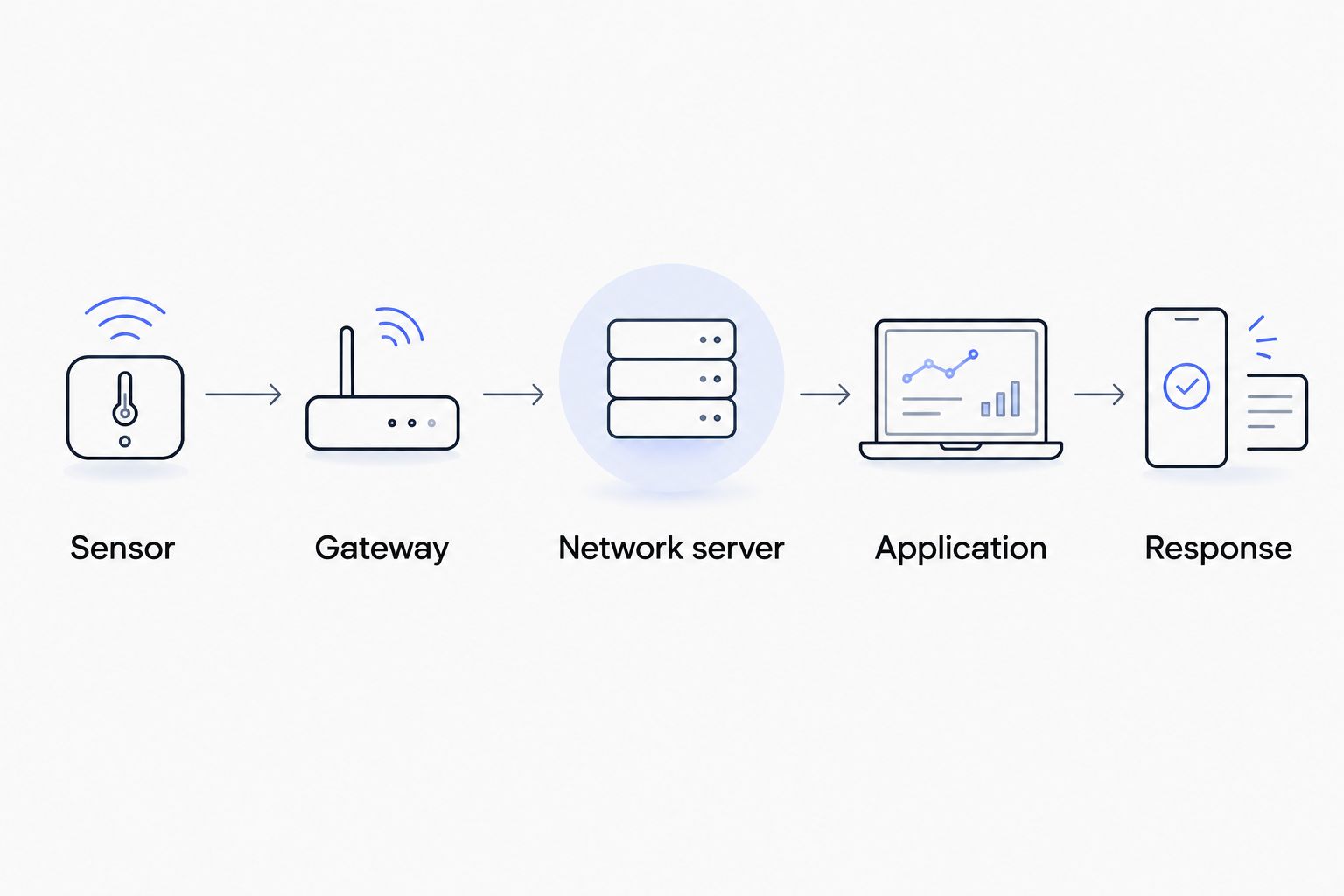
For a LoRaWAN deployment, the diagram shows the logical chain rather than a promise that every component is supplied together. For NB-IoT or Wi-Fi devices, the communication architecture differs; the need for usable information and an assigned response remains.
Common mistakes property management companies make
Treating a communal reading as evidence about every dwelling
A sensor measures its immediate environment. A corridor reading cannot establish conditions throughout neighbouring flats. Match each claim to the installation point, and avoid using isolated measurements to assign responsibility for a building-condition complaint.
Buying hardware before assigning application ownership
A compatible radio connection is not a complete monitoring service. Decide who configures alerts, pays recurring service charges, manages access and handles faults before installation. A caretaker should not discover after handover that nobody owns the dashboard account.
Ignoring access arrangements during battery planning
A battery replacement inside a private dwelling requires different planning from replacement in an accessible communal cupboard. Record access constraints when selecting the installation position. The maintenance burden includes arranging entry, not just changing a battery.
Using monitoring devices as automatic safety substitutes
A general-purpose temperature or water sensor does not automatically replace required fire, gas or other safety equipment. Keep maintenance monitoring separate from statutory safety systems unless the exact equipment and installation are approved for that role.
Collecting more tenant-related information than the task needs
Door events and occupancy-related measurements can reveal patterns about how spaces are used. Define the purpose, access permissions and retention rules before collecting them. Obtain appropriate data-protection advice for the installation rather than treating all building data as anonymous.
FAQ
What are the best wireless sensors for property management companies?
The best choice matches a specific maintenance task and an assigned response. Start with leak detection or temperature and humidity monitoring where you have a documented need, then test installation and connectivity before expanding.
Is LoRaWAN better than NB-IoT for apartment buildings?
LoRaWAN fits buildings where multiple sensors can share managed gateway infrastructure; NB-IoT fits suitable direct cellular connections. Compare reception at the actual installation points and decide who will maintain the network equipment.
Can wireless sensors work in basements?
Basement suitability depends on reception at the final sensor position. Test behind closed doors and inside the relevant cupboards; coverage elsewhere in the building does not establish coverage there.
Do wireless leak sensors prevent water damage?
Wireless leak sensors detect water at their sensing points; they do not physically stop a leak. Prevention of further damage depends on notification, access and response, or a separately specified automatic shut-off arrangement.
Do property managers need a gateway for every building?
There is no universal gateway-per-building rule. LoRaWAN gateway requirements depend on tested coverage, placement and network design, while other connection methods use different infrastructure.
Can I buy sensors and assume they work with my dashboard?
No: the dashboard must accept the device's data format and connection method. Confirm payload decoding, device registration and alert behaviour before committing to a larger installation.
One last thing
Test silence as carefully as you test alarms. A disconnected sensor can leave a reassuringly empty dashboard unless the application identifies missing messages. Include that failure scenario in your 2026 handover, alongside a named owner for restoring service.
Kilo Electronics supplies hardware for building an installation; your acceptance test should prove the complete journey from the physical condition to the maintenance team's response. That is the difference between collecting readings and operating a useful monitoring system.