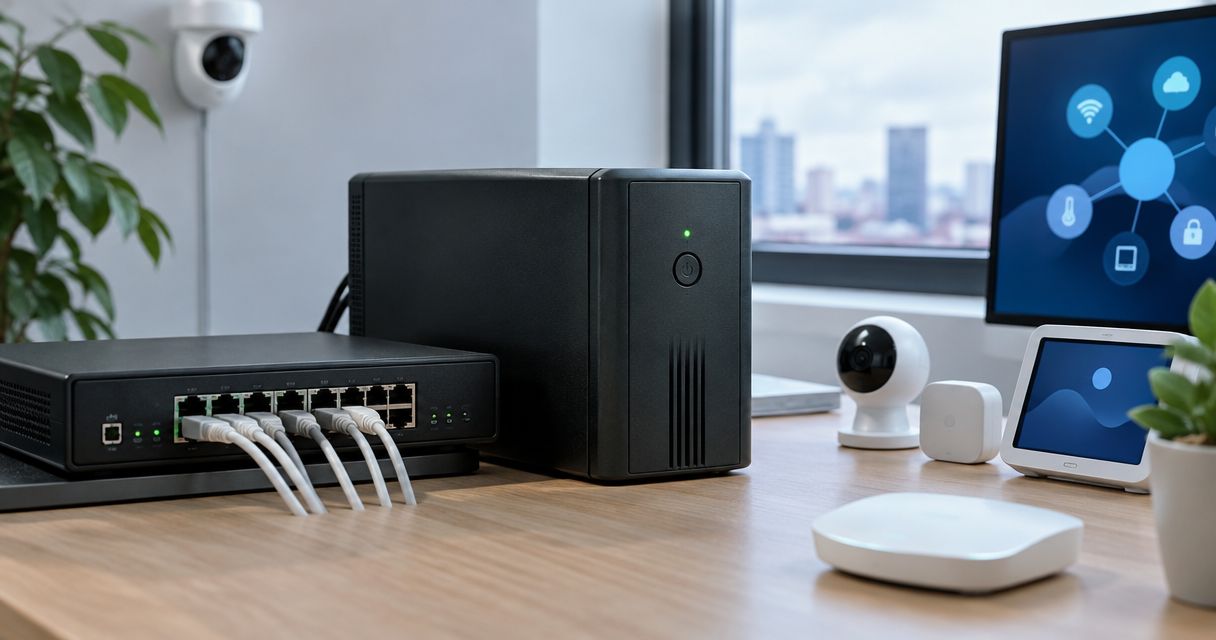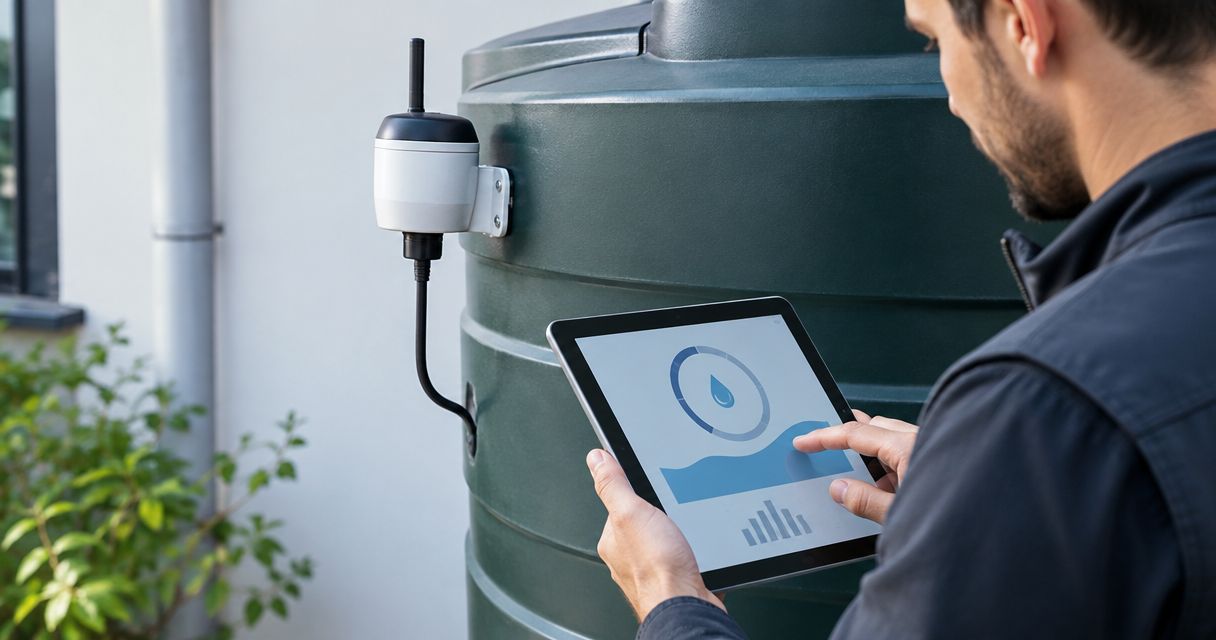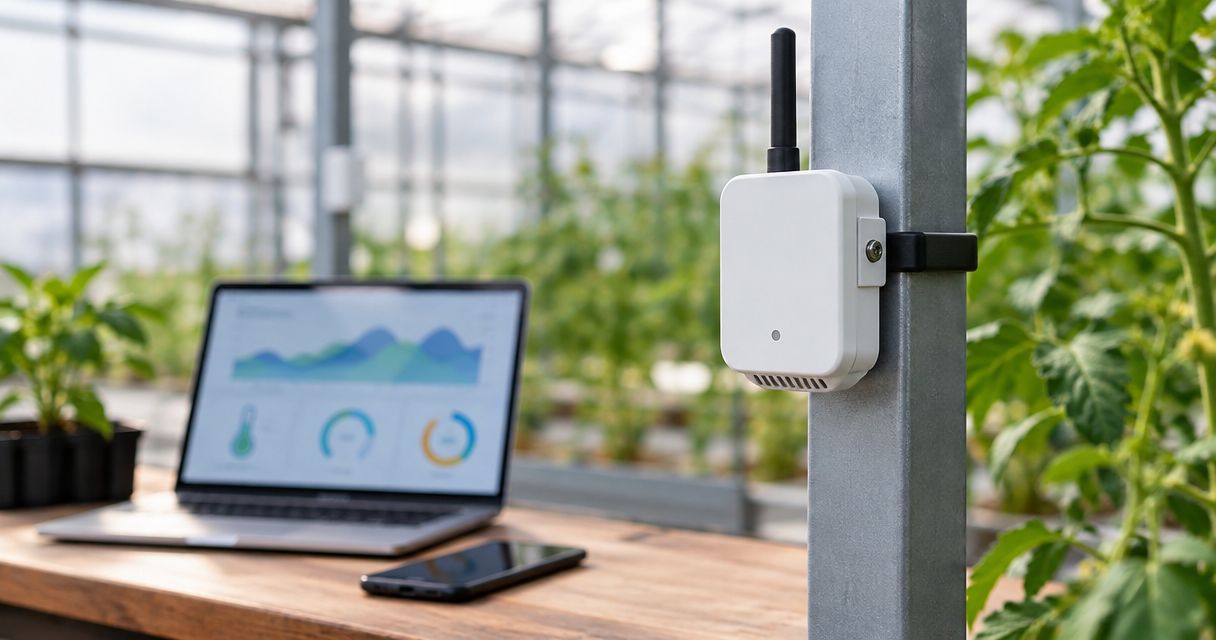
Choosing a LoRaWAN temperature humidity sensor in 2026 starts with the site, and our guide to IoT sensors for industrial monitoring covers the wider field. Best overall: a compact battery-powered sensor with a built-in sensing element. Best for cold rooms and freezers: a model with an external probe. Best for outdoors: an IP-rated housing. Best for makers: a LoRa module with your own firmware. Kilo Electronics is an online authorised dealer of IoT hardware across Europe, and the sections below show how to match each type to a job.
- A compact built-in-sensor unit is the default lorawan temperature humidity sensor for offices, stockrooms and server rooms in 2026.
- Choose an external-probe model for fridges and freezers; the probe cable, not the body, sits in the cold.
- An IP rating covers dust and water ingress only; it says nothing about condensation, UV or freezing.
- A sensor needs a gateway and a network server; check the regional radio plan before buying.
Why this matters in 2026
Temperature and humidity are the most common things people put on LoRaWAN. The readings are small, they change slowly, and a battery can last years when the sensor reports every 10 to 15 minutes. That combination is what LoRaWAN was built for.
The trouble is that "LoRaWAN temperature and humidity sensor" covers very different products. A plastic puck for an office wall and a probe sensor for a walk-in freezer share a protocol and almost nothing else. Buying the wrong type means drift, dead batteries or a radio signal that never leaves the cold room.
This guide ranks sensor types by use case, not by brand. It names example product families where that helps you build a shortlist. Kilo Electronics does not necessarily list every family mentioned, so treat those names as comparison points and check the store category for what is currently offered.
Where the sensor fits in a LoRaWAN system
A LoRaWAN sensor never talks to the internet directly. It sends a short radio message to a gateway. The gateway forwards it to a network server, and the network server passes the decoded data to an application, such as a dashboard or an alert rule.
That chain matters for buying. The sensor must support your region's radio plan: EU868 for most of Europe including the UK and Switzerland, with variants elsewhere. It must also be able to join your network server, whether that is a public network, a hosted service or one you run yourself. The gateway is a separate purchase. If you have no coverage yet, the guide to indoor gateways for offices and warehouses is the next read, but plan the gateway and the sensors together.
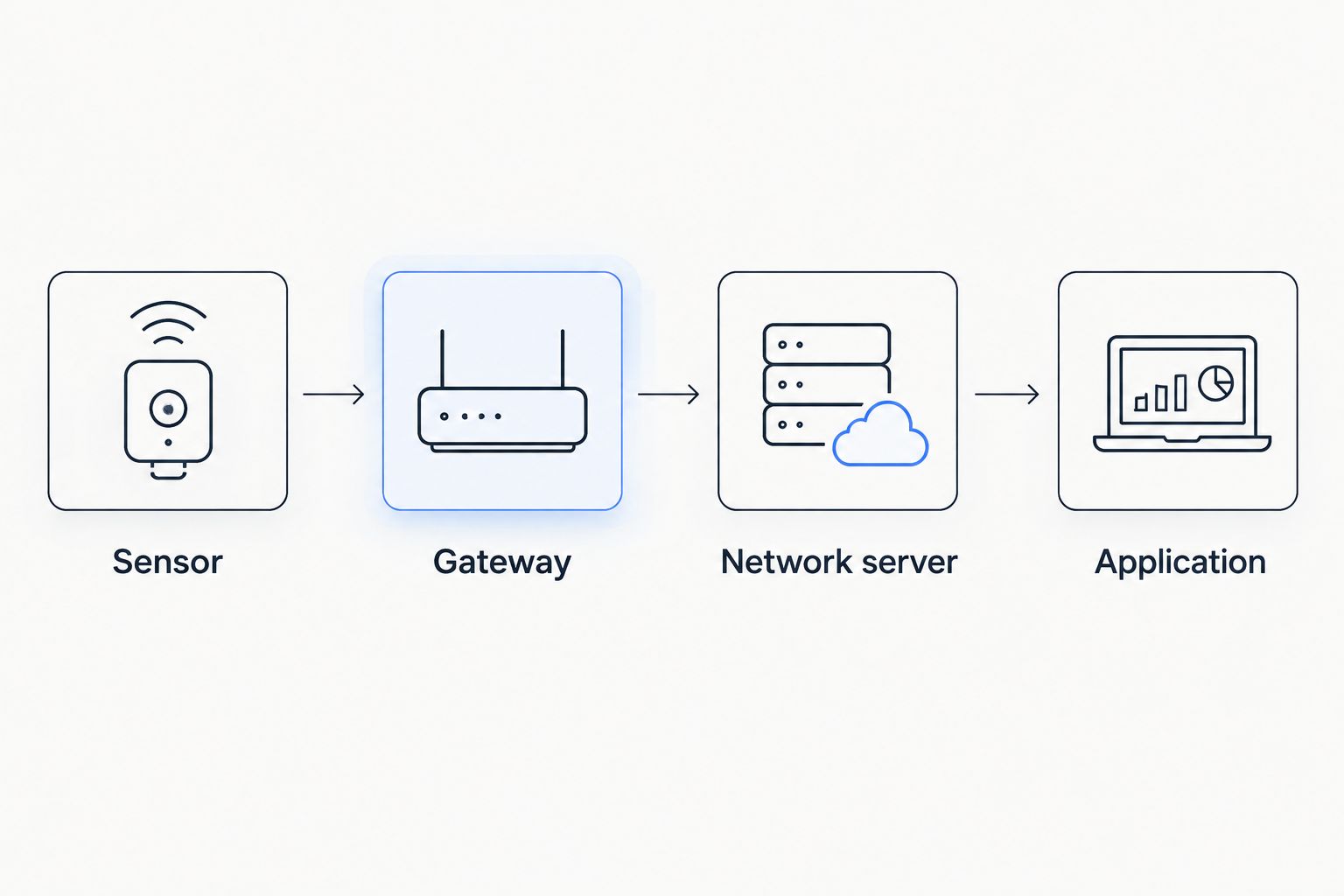
Two things trip up first-time buyers. First, cellular backhaul on a gateway does not make the sensors NB-IoT devices; the sensors still speak LoRaWAN. Second, each sensor sends data in its own payload format, so your network server needs a decoder for that model before the readings become readable numbers.
What makes the best LoRaWAN temperature and humidity sensor
These criteria decide the ranking below. Read them first so you can audit the list.
- Sensing element placement. A built-in element suits rooms. An external probe suits anything where the body must stay outside the measured space.
- Enclosure and mounting. Indoor plastic, IP-rated outdoor housing, wall, magnet or pole mounting all change the installed cost.
- Power. Replaceable primary batteries dominate. Check which battery type the specific model uses and whether it is user-replaceable.
- Reporting interval. Shorter intervals drain batteries faster and use more airtime. Match the interval to how quickly you need to react.
- Payload decoding and integration. Does the manufacturer publish a decoder for your network server? This saves days of setup.
- Radio plan and class. Confirm the regional variant. Most environmental sensors are Class A, which is what you want for battery life.
Sensor types at a glance
| Rank | Sensor type | Best for | Standout feature | Key limitation |
|---|---|---|---|---|
| 1 | Compact built-in sensor | Offices, stockrooms, server rooms | Simple wall or shelf install | Not for freezers or wet areas |
| 2 | External-probe sensor | Fridges, freezers, cold chain | Body stays outside the cold space | Probe cable must pass the door seal |
| 3 | IP-rated outdoor sensor | Greenhouses, cabinets, outdoor sites | Sealed housing | IP rating is not a full environmental guarantee |
| 4 | Multi-parameter indoor sensor | Air quality and comfort monitoring | Extra measurements in one unit | More complex, more to configure |
| 5 | LoRa module plus your own sensor | Makers and custom builds | Full control over firmware | You write and maintain the software |
1. Compact built-in sensor: best LoRaWAN temperature and humidity sensor for rooms
This is the default choice. The temperature and humidity element sits inside a small battery-powered housing that you screw to a wall or place on a shelf. Product families in this class include the Milesight EM300-TH and the Elsys ERS range.
Compact sensor pros:
- Quick to install; no cable, no probe to route.
- Low upkeep; replace the battery when the manufacturer's estimate says so.
- Works well for spotting trends such as a stuffy meeting room or a warehouse that gets too humid in autumn.
- Decoders for common network servers are usually published by the manufacturer.
Compact sensor cons:
- Readings reflect the air around the housing, so a sensor mounted next to a radiator or window will mislead you.
- Not suited to freezers, wash-down areas or anything that condenses heavily.
- Battery life depends on reporting interval and signal quality, and the quoted figure is a manufacturer estimate, not a guarantee.
Best for: offices, server rooms, stockrooms, museum or archive rooms where you want a trend, not a legal record.
Verdict: Buy. For an indoor room it is the simplest option and the one most people should start with.
2. External-probe sensor: best for fridges, freezers and cold chain
If the thing you care about is inside a cold box, the electronics should stay outside it. An external-probe sensor keeps the radio and battery at room temperature and runs a thin cable to a probe inside. The Dragino LHT65 is a widely known example, with a built-in element and support for an external probe.
External-probe sensor pros:
- Measures the space you care about, not the room around it.
- Battery sits in a warmer spot, which helps, because cold reduces battery performance.
- Suits fridges, freezers, display cabinets and incubators.
External-probe sensor cons:
- The cable must pass the door seal, and a poor routing can leave a gap that costs you cooling.
- Metal cabinets block radio signals, so the sensor body needs a spot with line of sight to a gateway.
- Probe accuracy and calibration are model-specific; a sensor for general monitoring is not the same as a calibrated instrument for regulated records.
A realistic example: a café with a walk-in fridge in a basement. The sensor body goes on the wall outside the fridge door, the probe hangs inside, and a gateway upstairs covers the stairwell. That layout is a hypothetical, but it shows why gateway placement belongs in the plan.
Best for: food storage, lab fridges, and any place where a cold box is the target.
Verdict: Buy for cold spaces; Skip if you need certified, audit-ready records, which call for calibrated equipment and a documented process.
3. IP-rated outdoor sensor: best for greenhouses and outdoor cabinets
Outdoor monitoring asks more of the housing. You want a sealed enclosure, a mounting method that survives wind, and a place where direct sun does not skew the reading. Models with IP67-class protection exist across several manufacturers.
Outdoor sensor pros:
- Sealed against dust and temporary water immersion at the IP67 level.
- Suits greenhouses, pump houses, roof cabinets and agricultural sites.
- LoRaWAN range is a strength outdoors, where line of sight is easier to get.
Outdoor sensor cons:
- An IP rating is about dust and water ingress. It does not establish resistance to UV, ice or repeated condensation.
- Direct sun on the housing inflates temperature readings, so a radiation shield or shaded position matters.
- Relative humidity sensing drifts in prolonged wet conditions.
Best for: greenhouses, outdoor equipment cabinets, rooftop plant rooms.
Verdict: Buy with a sensible mounting plan. Hold if you plan to leave it in open sun with no shield.
4. Multi-parameter indoor sensor: best for air quality and comfort
Some indoor sensors add CO2, light, motion or volatile compound readings to temperature and humidity. The Milesight AM300 series is one family in this class. These suit offices and classrooms where comfort and ventilation matter, not only the thermometer.
Multi-parameter pros:
- One device replaces two or three.
- Useful for ventilation decisions, where humidity alone does not tell the story.
- Fewer batteries and mounting points to manage.
Multi-parameter cons:
- Some variants need external power or shorter battery intervals; confirm the exact model.
- More sensing elements means more to calibrate and more that can drift.
- Overkill if you only need a temperature trend.
Best for: offices, schools, meeting rooms, co-working spaces.
Verdict: Buy when you need more than temperature. Skip if you only want the two basic readings.
5. LoRa module plus your own sensor: best for makers
You can also build the sensor yourself. A LoRa module, a low-power microcontroller and a digital temperature and humidity chip give you a custom device. This path suits hobbyists, prototypes and teams with unusual requirements.
DIY pros:
- Full control over reporting interval, payload format and power behaviour.
- Cheaper per unit at volume, once the design is proven.
- You learn how the system works.
DIY cons:
- You own the firmware, the enclosure, the radio certification questions and the battery design.
- No manufacturer decoder; you write your own.
- A hobby build is slower to a working result than a finished sensor.
Best for: makers, prototypes, non-standard measurements.
Verdict: Buy if the build is the point. Skip if you just need readings next week.
How these types were ranked
The ranking is an editorial judgement based on the criteria above, not a lab test. Nothing here was measured on a bench. Compact sensors rank first because they suit the most common job with the least setup. External-probe models rank second because cold storage is the next most common job and the failure cost is high. Product families are named as examples from public manufacturer positioning; confirm each exact model, regional variant and accessory before ordering.
Installed cost and the gateway question
The sensor is rarely the whole bill. A single sensor in an office can ride on an existing public or shared LoRaWAN network. Ten sensors across a warehouse usually need your own gateway, plus power, a mounting spot and possibly an outdoor antenna.
Plan for these items:
- Gateway coverage. Metal racking and concrete floors eat signal. Measure before you buy, or place a test sensor first.
- Network server. A hosted server means a subscription or a fee. A locally hosted server means you maintain it.
- Spare batteries and mounting hardware. Small costs that add up across dozens of units.
- Time to decode. If the manufacturer's decoder does not fit your platform, budget setup hours.
For larger rollouts, the guide to enterprise LoRaWAN gateways is worth reading alongside this one.
Radio plans and reporting intervals
For Europe, the usual plan is EU868. The 868 MHz band carries duty cycle limits, commonly 1% in most sub-bands, which caps how often a device can transmit. That is why a sensor reporting every 10 to 15 minutes is normal and one reporting every few seconds is not.
If you buy for a site outside the EU868 region, match the sensor variant to the destination. A sensor built for another region's plan will not work properly on an EU868 gateway. The same goes for sensors that Kilo Electronics or anyone else ships across borders: the radio plan is a property of the product variant, not of the seller.
Which LoRaWAN temperature and humidity sensor should you choose?
For most readers, a compact built-in sensor is the right first purchase. It is the cheapest way to learn how your coverage behaves, and it covers offices, stockrooms and server rooms. Move to an external-probe model the moment the target is inside a fridge or freezer. Choose an IP-rated model for outdoor or damp locations, and add a multi-parameter unit only when air quality matters. Builders who want full control can start from a module, knowing they own the firmware.
Plan your gateway coverage
Sensors need a gateway; compare indoor options first.
FAQ
What is the best LoRaWAN temperature and humidity sensor in 2026?
For indoor rooms, a compact battery-powered sensor with a built-in element is the best default. For freezers and fridges, choose a model with an external probe. The right choice depends on the space you need to measure.
Do I need my own gateway for a LoRaWAN sensor?
Only if no network covers your site. A single sensor can use an existing public or shared network. Larger or indoor-heavy sites usually need their own gateway for reliable coverage.
How long does a LoRaWAN temperature sensor battery last?
Manufacturers quote battery life in years, but the figure depends on reporting interval, signal quality and temperature. Treat the quoted number as a manufacturer estimate, and expect shorter life with frequent reports or poor coverage.
Can a LoRaWAN sensor work inside a freezer?
Keep the radio and battery outside and use an external probe inside. Metal cabinets block radio signals, so the sensor body needs a clear path to a gateway.
Is an IP67 sensor safe for any outdoor use?
IP67 covers dust and temporary water immersion. It does not cover UV, ice or long-term condensation, so mounting position and shading still matter.
Does a cellular gateway make my sensors NB-IoT?
No. Cellular backhaul connects the gateway to the internet. The sensors still communicate over LoRaWAN.
Which radio plan do I need in Europe?
Most of Europe, including the UK and Switzerland, uses EU868. Confirm the regional variant of the exact sensor before ordering, because the plan is fixed per product variant.
One last thing
Place one sensor before you buy fifty. Mount it in the worst spot on the site, the corner behind the racking or the basement room, and watch the signal for a week in 2026. If that sensor reports reliably, the rest of the rollout is mostly logistics. If it does not, you have found the gateway problem for the cost of one unit, before it scales to the whole site through 2027.